Food Fit 2.0: Personalize Your Recipes with RAG Using Genkit and Firestore
Nov 25, 2025
In the first part, we built Food Fit, an application capable of generating healthy recipes using Genkit, Gemini, and Imagen 3.
In this second part, we will add a new feature: personalizing recipes according to the user's dietary restrictions by implementing a RAG (Retrieval-Augmented Generation) pattern using Firestore as the knowledge repository.
Why RAG in an App Like Food Fit?
In the initial version, the application generated recipes solely from the ingredient the user entered. However, a problem arose:
What if the user cannot consume certain ingredients due to allergies or dietary restrictions?
This is where RAG becomes key.
What is RAG?
RAG (Retrieval-Augmented Generation) combines a generative model with external information stored in a database or additional service.
Its main goal is to prevent the AI from "hallucinating" and to force it to rely on real, specific data.
How Does RAG Work in Simple Terms?
- The user enters an ingredient.
- We retrieve the user's information from Firestore (restricted foods).
- We inject that information into the prompt as context.
- The model generates recipes considering both the user's input and their restrictions.
For this example, we will store the foods the user cannot consume and instruct the model not to include them in the generated recipes.
Is It Really RAG If We Don't Use Vectors?
Yes, in its lightest form.
We are not implementing traditional RAG based on embeddings and vector search. Instead, we apply contextual RAG, which is very common when data is structured:
- Retrieval: comes from Firestore.
- Augmentation: we inject that data directly into the prompt.
- Generation: Gemini produces the recipe while respecting the restrictions.
Application Architecture
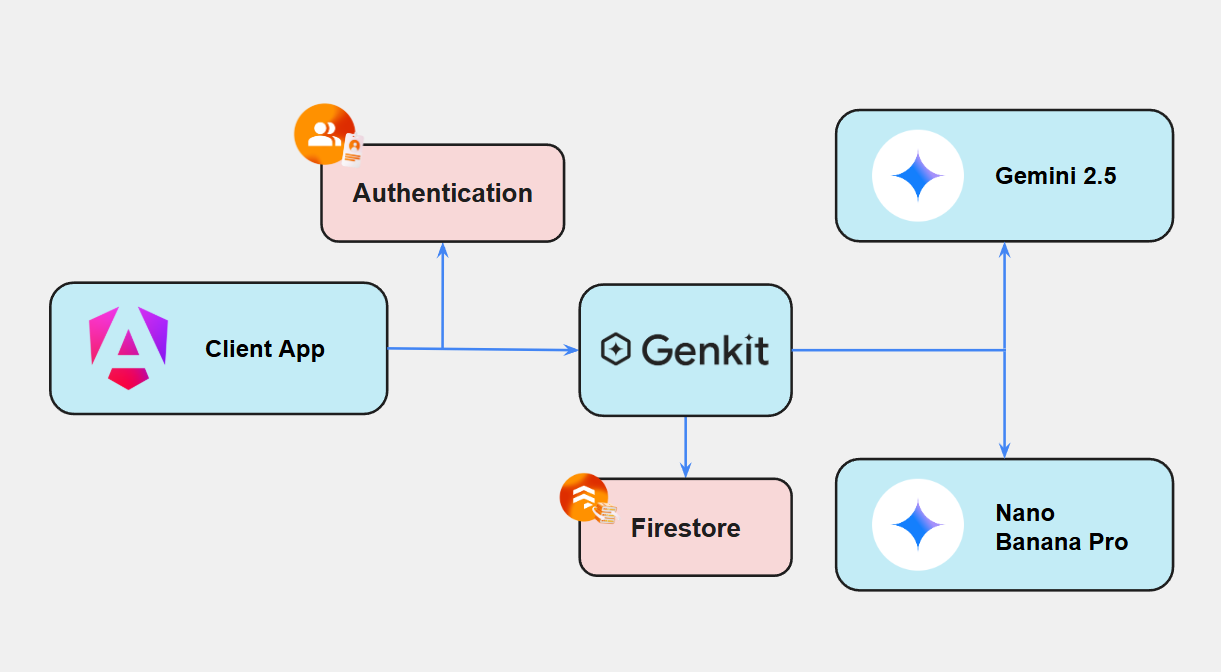
In this new version, the application is no longer composed solely of Angular and Genkit. We now incorporate:
- Firebase Authentication, to identify the user.
- Firestore, to store restricted foods.
Step-by-Step Implementation
Now that we understand the why and the concept behind lightweight RAG, let's see how to implement it in our application.
User Authentication
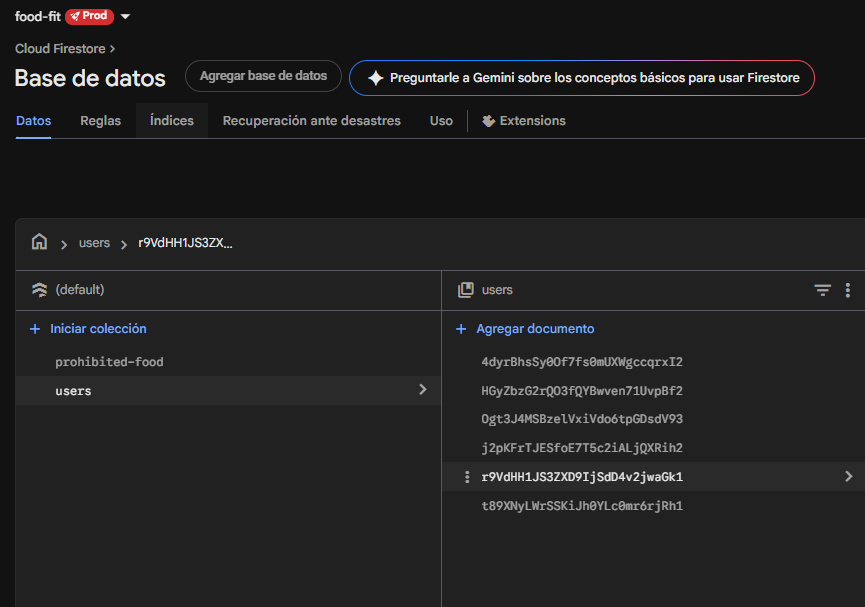
Before personalizing any recipe, we need to identify the user. With Firebase Authentication, each user gets a unique UID, which we will use as the key to store their dietary restrictions.
This ensures that each user has their own profile, their preferences are isolated, and we can apply RAG consistently.
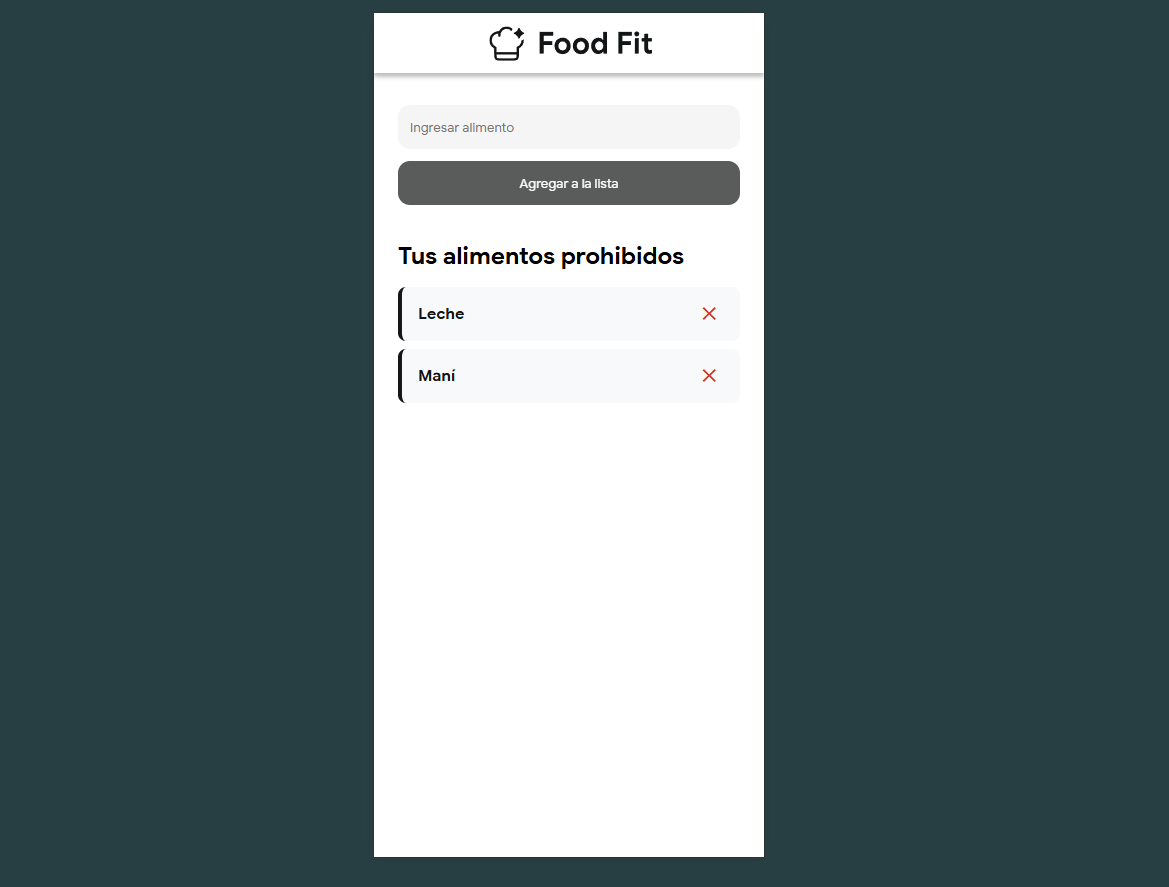
Saving Dietary Restrictions in Firestore
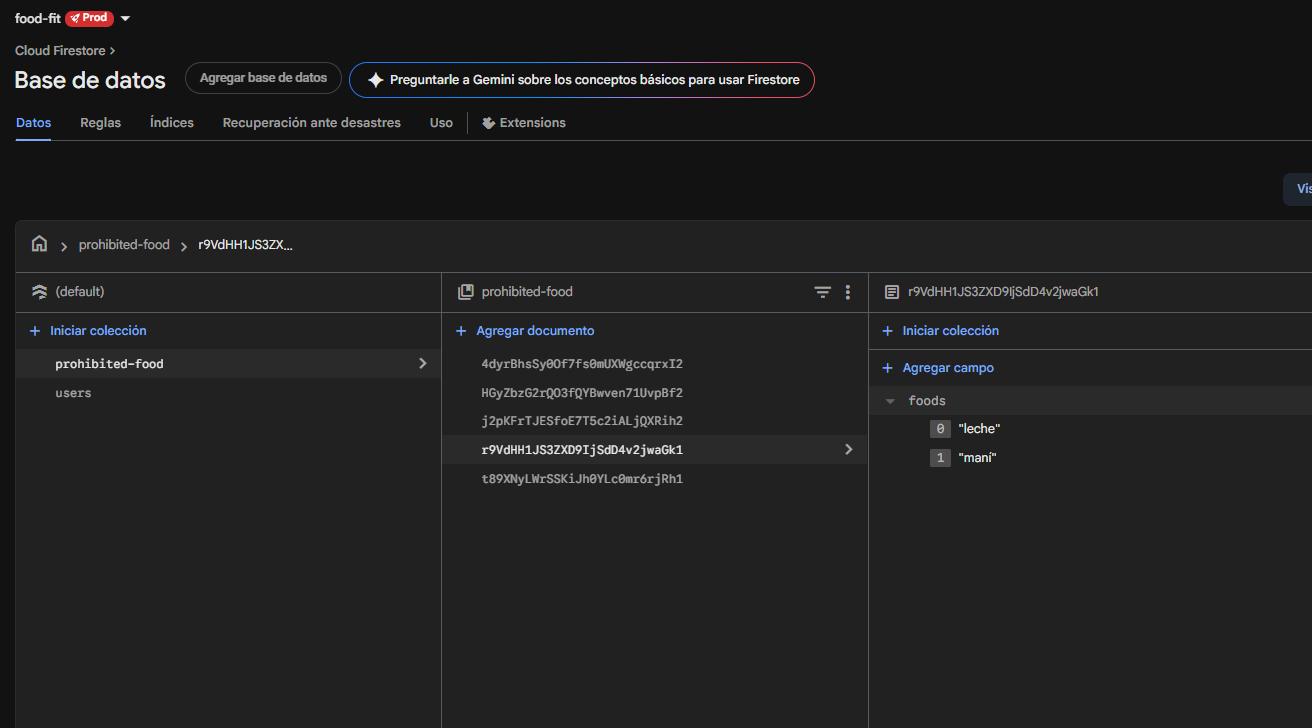
We create a collection:
/prohibited-food/{uid}
Where each document contains the list of foods the user cannot consume:
{
  "foods": ["leche", "maní"]
}
Implementing the RAG Flow in Genkit
To apply dietary restrictions within the recipe generation process, we create a flow in Genkit called foodSuggestionWithProhibitedFoodFlow. This flow encapsulates two important steps:
- Retrieval: Fetch the user's list of restricted foods from Firestore.
- Augmented Generation: Build a context and pass it to the Gemini model to generate the recipes.
export const foodSuggestionWithProhibitedFoodFlow = ai.defineFlow(
    {
        name: 'foodSuggestionWithProhibitedFoodFlow',
        inputSchema: inputSchemaWithProhibitedFood,
        outputSchema: outputListFoodItemSchema,
    },
    async (payload) => {
        try {
            // We retrieved the user information from Firestore
            const userDoc = await db.collection('prohibited-food').doc(payload.userId).get();

            if (!userDoc.exists) {
                throw new UserFacingError('NOT_FOUND', 'No se encontraron datos del usuario.');
            }

            const prohibitedFoods = userDoc.data()?.foods;

            // We build a context that we then inject into the model
            const prohibitedFoodsContext = prohibitedFoods.length > 0
                ? `El usuario es alérgico a: ${prohibitedFoods.join(', ')}. **ASEGÚRATE DE EXCLUIR ESTOS INGREDIENTES. EN EL CASO TE INDIQUE UN ALIMENTO DE LA LISTA COMO ALIMENTO PRINCIPAL, NO GENERES NINGUNA RECETA.**`
                : 'No hay alergias conocidas.';

            // We explicitly send instructions within the system and prompt so that the model strictly follows those restrictions.
            const suggestionPrompt = ai.prompt('foodSuggestionWithProhibitedFood');
            const { output } = await suggestionPrompt({
                ...payload,
                prohibited_foods_context: prohibitedFoodsContext
            });

            if (output == null) {
                throw new UserFacingError('UNAVAILABLE', 'Hubo un error en la generación de la receta.');
            }
            return output;
        } catch (error) {
            throw new UserFacingError('UNAVAILABLE', error)
        }
    }
);
This flow fetches a user's list of prohibited foods from Firestore and automatically builds a context that warns the model, instructing it to exclude those ingredients and not generate recipes if any appear as the main ingredient. It then sends these instructions to the model's prompt along with the original input data to generate a safe meal suggestion. If the user does not exist or the model does not return a valid response, the flow throws a UserFacingError indicating the issue.
Testing the Flow in Genkit
Once the flow is implemented, we can test it directly from the Genkit Developer UI:
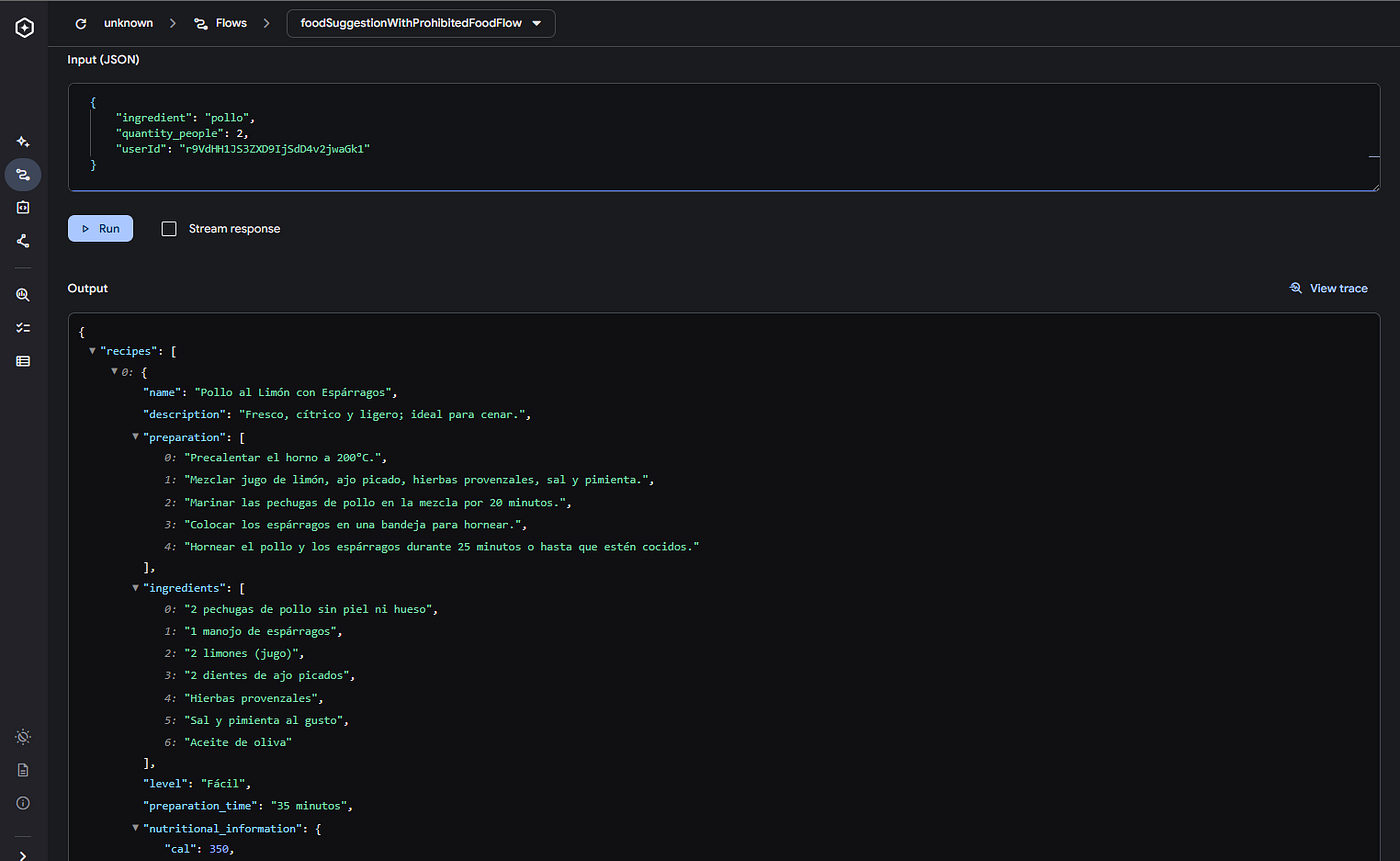
The flow will automatically build the context and send the model the instruction to exclude these foods.
The model will generate healthy recipes based on the requested ingredient and completely free of the prohibited foods.
You can check out the complete project code on GitHub: lperezp/food-fit-app.
Conclusion
In this second part of Food Fit, we added a more advanced level of personalization by implementing a lightweight RAG pattern leveraging Firebase and Genkit. This approach enables AI to generate truly useful, safe recipes tailored to each user without requiring vector database infrastructure.